Toggle Music
Apple Music and Spotify, in your menu bar.
7 days free. Then €8, once.
macOS 14.0 or later · Version 1.4
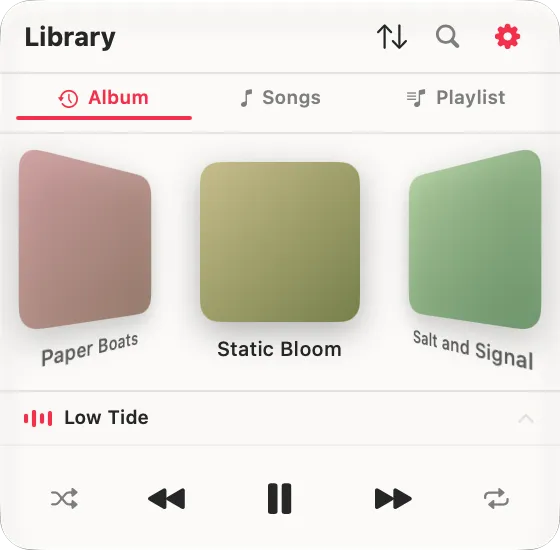
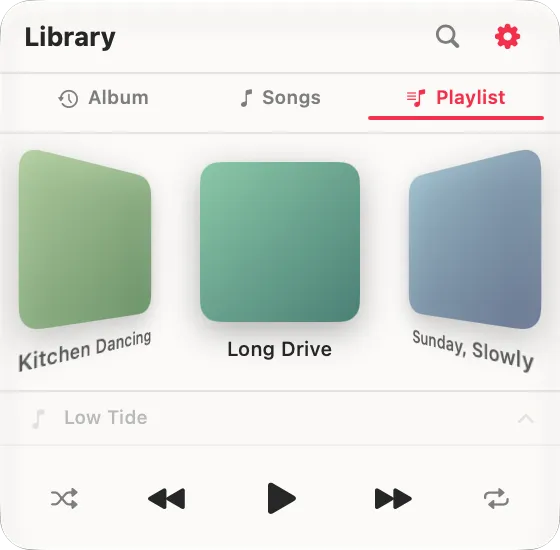
Cover Flow
Flip through your albums in a 3D carousel. The way music used to feel.
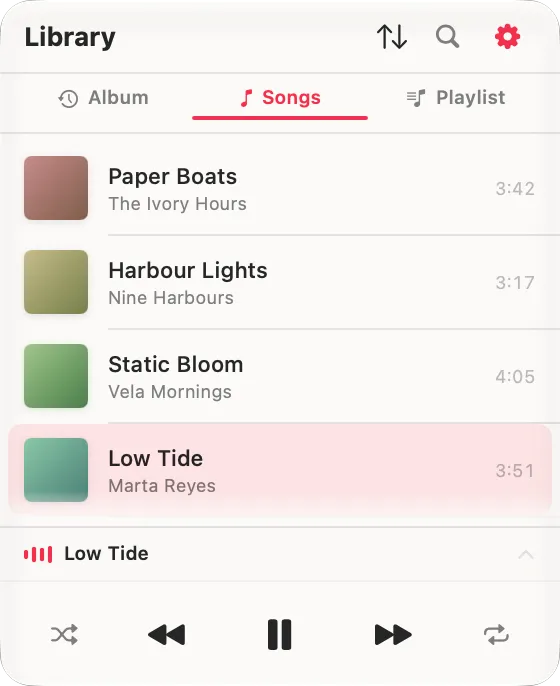
Every song, one list
New in 1.4. Your library as a single list, sorted your way. Play one song and everything below it queues up, in the order you are looking at.
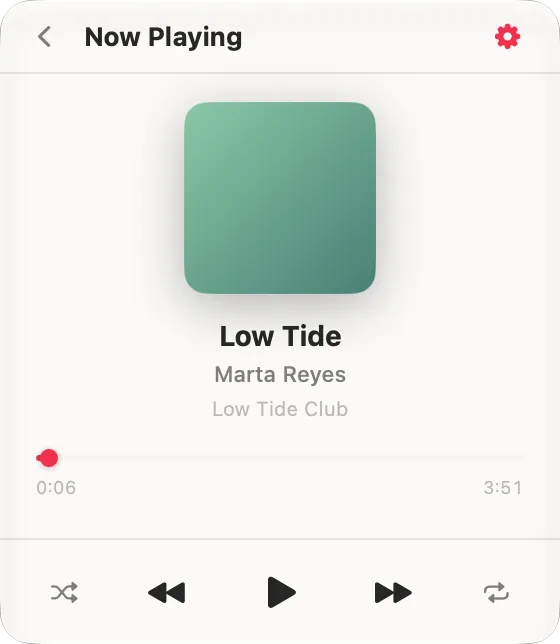
Now Playing
The current track full-size, with artwork and playback controls: play, pause and skip right from the panel.
Playlists, pinned
Your Apple Music playlists live in the same panel, in whichever layout you picked. Right-click any album or playlist to pin it to the top.
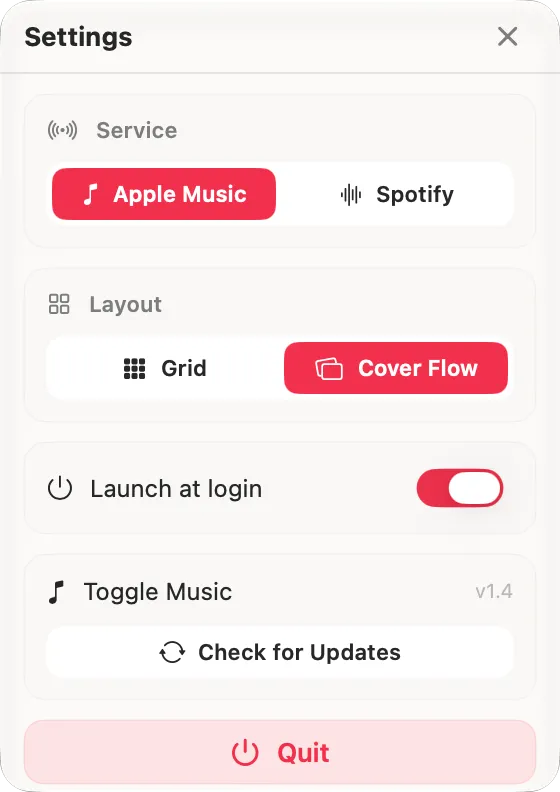
Make it yours
Switch between Apple Music and Spotify, flip the layout and launch at login, all from one tidy settings panel.
Instant search (Apple Music)
Find the songs and albums you want across your whole library, from the search tool built into the panel. Results filter as you type, and tapping one plays it.
A queue that's really yours (Apple Music)
Shift-click any song to queue it and build the running order you actually want. Up Next shows exactly what is coming, shuffle included, because Toggle Music builds the queue itself and hands it to the Music app.
Apple Music and Spotify
Switch between the two in a tap. On Spotify, Toggle Music controls the app you already have, Free or Premium, and builds a library from your recent listening; browsing and search stay in the Spotify app.
It all counts in Apple Music
The queues you build and the songs you play in Toggle Music are registered and counted in Apple Music too, because playback runs inside the Music app itself rather than beside it.
One-time purchase. Every future update included.
- 7 days free, no card needed
- macOS 14.0 Sonoma or later
- Apple Silicon
- 14-day money-back guarantee
- Updates install inside the app, free
Toggle Music ships outside the Mac App Store: a notarized DMG, signed with an Apple Developer ID, that updates itself in place. Every update is checked against a signing key baked into the app, so a tampered download is refused even if it arrives from the right address.
- A free 7-day trial. The whole app, nothing held back, and no card to start it.
- New Songs tab: your whole library as one list, in the same order you sort your albums by.
- Playing a song now queues everything below it, in the order you are looking at. You are no longer limited to an album or a playlist.
- One licence, every Mac you own: the two-device limit is gone.
- Apple Music now plays through the Music app, so Lossless and Spatial Audio are preserved — and songs you haven't downloaded play too, instead of silently doing nothing.
- Playlists you added from Apple Music now play. Their tracks often aren't in your library, and Toggle Music had been looking in the wrong place.
- Up Next is built by Toggle Music and shows exactly what's coming, shuffle included. Shift-click a track to play it next.
- Fixed: picking a song inside a playlist started the playlist from its first track.
- Fixed: a song could be swapped for a different one that happened to share its title.
- You can now quit Toggle Music right from the unlock screen.
- The "Buy a license" button now opens the store directly.
- Spotify support: control the Spotify app you already have, on Free or Premium.
- The library now includes local files from Music.app alongside your Apple Music albums.
- Unified album sorting across every source.
Which music services does it work with?
Apple Music and Spotify. Toggle Music is a companion player: it plays from your existing library and subscription, it doesn't stream music on its own.
Do I need Spotify Premium?
No. Spotify works on Free and Premium, because Toggle Music plays through the Spotify desktop app you already have.
Is it the same on Apple Music and Spotify?
No. Apple Music is the full experience: Cover Flow, grid, whole-library search, Now Playing, queue and pinning. On Spotify, Toggle Music controls playback and builds a library from what you listen to, while browsing and search happen in the Spotify app.
Which Macs does it run on?
Any Mac with Apple Silicon, on macOS 14 Sonoma or later.
How do I unlock it?
Download the app for free, then buy a license key. It lands in your inbox within seconds. Paste it in once and Toggle Music is unlocked for good.
How many Macs can I use it on?
All of them. One purchase unlocks Toggle Music on every Mac you own, with no activation limit.
Are updates included?
Yes. Toggle Music is in active development, and updates are free and install right inside the app. Pay once, keep every future version.
Is it safe to install?
Yes. Toggle Music is signed with an Apple Developer ID and notarized by Apple, so it opens with no security warnings.
What if it's not for me?
There's a 14-day money-back guarantee. Write to me and I'll refund the full price, no questions asked.
Still stuck? Write to contact@cupertina.com.
Written about on Macitynet
Version 1.4 · updated August 19, 2026